Simmodlr is a set of modelling components. The first released component is a browser-based discrete-event simulation tool. Model queues, resources, and service processes — no install, no code, results you can rely on.
No install · Runs entirely in your browser · simmodlr.app
Queueing formulas assume steady-state averages. Real systems don't work that way — and the gap between the formula and reality grows fast as utilisation rises.
A server at 90% utilisation has roughly nine times more wait time than one at 50% — not 80% more. The formula gives you the wrong number by a wide margin.
Exponential service times and empirical service times produce different queue dynamics. Point estimates hide variance. Confidence intervals reveal it.
When stages share resources, blocking and starvation emerge that no formula predicts. Simulation models these interactions event by event.
Simmodlr can help you build models, analyse results, and test improvements. Prefer your own AI tools? Use them too.
Create a model from a plain-English description, then inspect and edit it.
Explore results, identify pressure points, and generate recommendations.
Use your preferred chat tools to build a model and get a different perspective on the results and options.
Build the model, watch it run, understand the results, then test the change — all in one browser workflow.
Describe the system in plain English, then review and adjust the model on the canvas or in the editors.
Watch queues form, resources become busy, and entities move through the process.
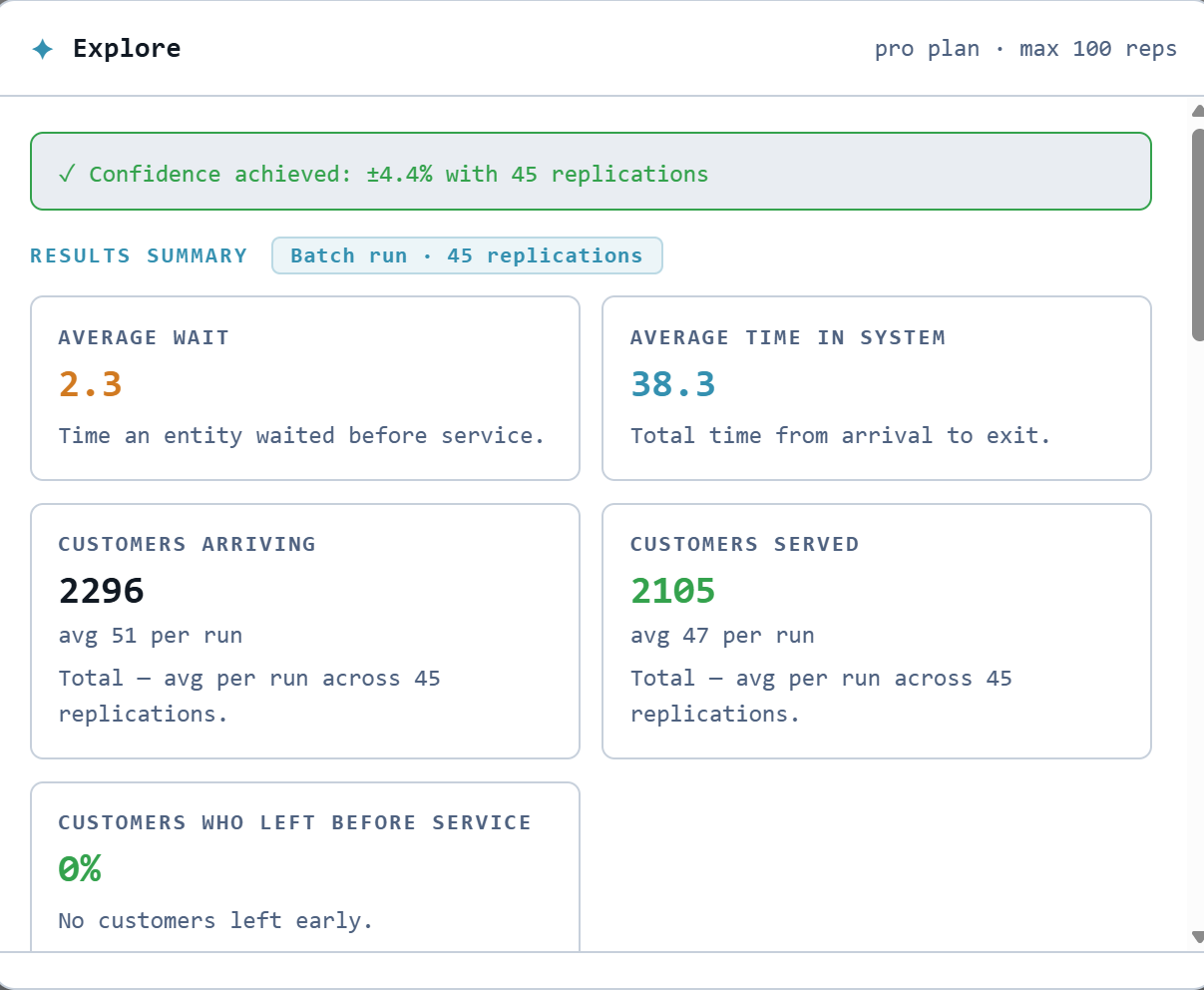
Explore builds confidence in the results and highlights what needs attention.
Test a proposed change, compare the result, then save what works.
A plain-English brief becomes a working emergency-department model: arrivals, triage, queues, doctors, and exits.
Then Simmodlr runs it, analyses the results, recommends a doctor-capacity change, and tests it before anything is saved.
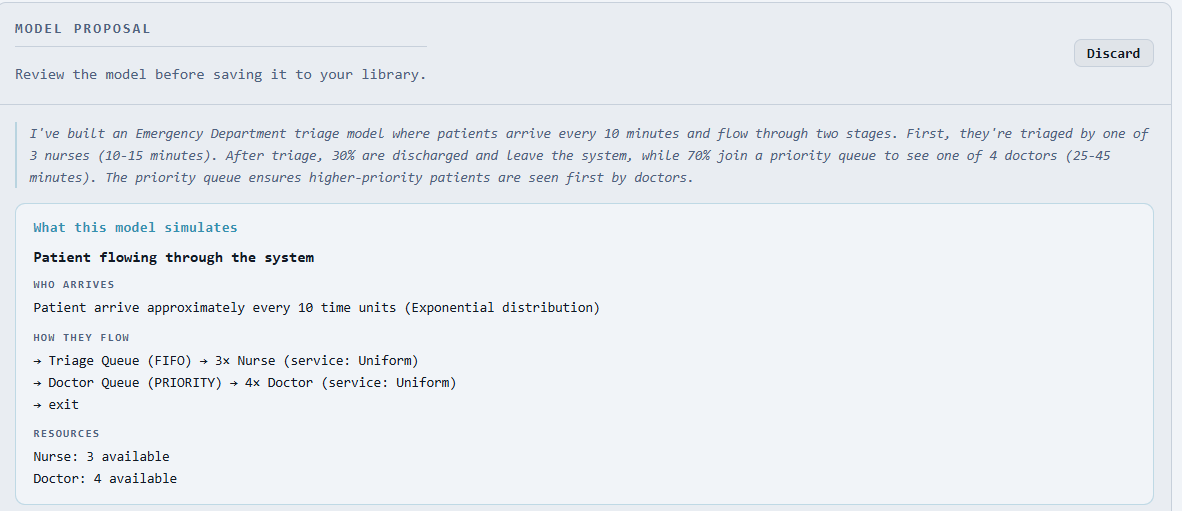
Review the proposed flow before saving it to the model library.
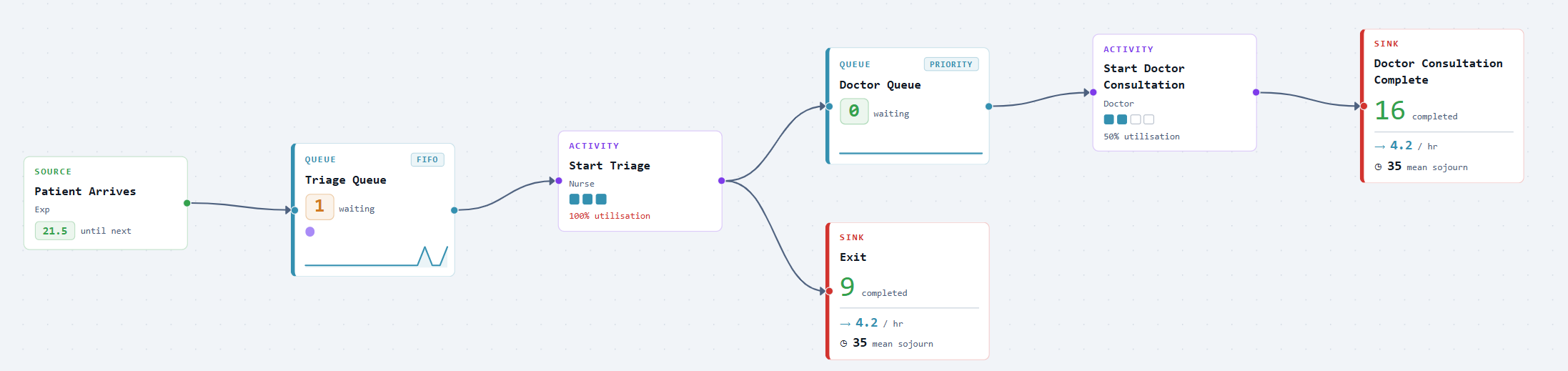
Seeing the model run makes the process visible: queues, movement, resource use, and flow.
Explore builds confidence, summarises the results, and recommends what to change next.
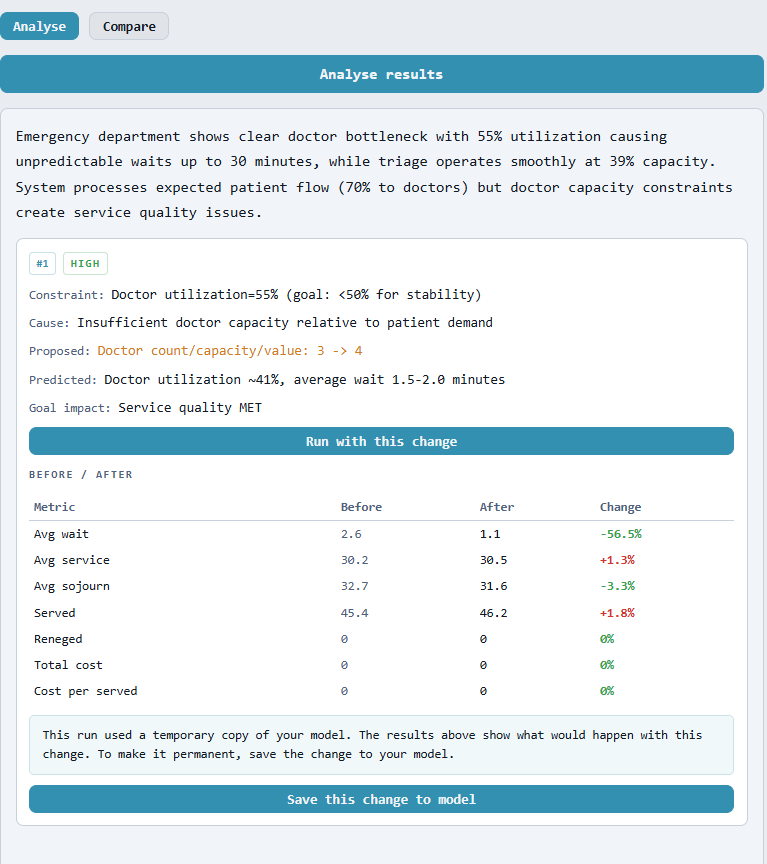
Test the recommendation, compare the result, and save it when it works.
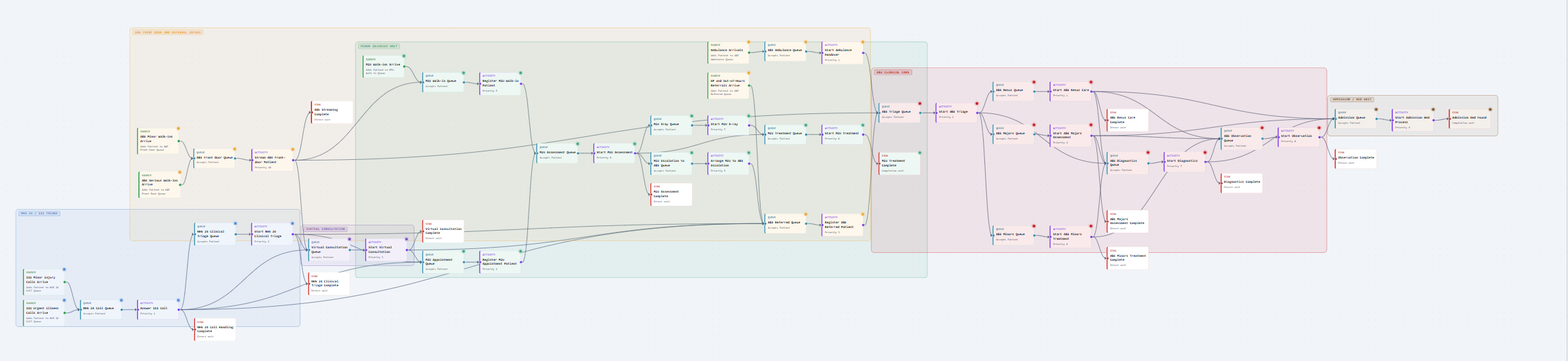
The triage example is easy to follow, but the same canvas can hold larger pathways too. Sections help organise complex models with branching routes, shared resources, priorities, and handoffs across a whole service.
You do not need a background in simulation. If you have a real problem and need an honest answer, this is for you.
A decision is coming — a new service, a change in staffing, an investment in capacity. You need numbers you can defend, not a back-of-envelope estimate. Simmodlr gives you a model you can run, tweak, and present — built in hours, not weeks.
Queues are building. Waits are longer than they should be. Something isn't working but it's not obvious where the problem actually is. Simulation lets you see inside the system — test changes safely before touching anything real.
You're studying operations, engineering, or healthcare systems — or teaching it. Commercial simulation tools are expensive and slow to learn. Simmodlr has a generous free tier, runs in a browser, and doesn't hide how it works.